Notification configuration
Configure fine-grained notification routing with CRDs
Overview
Plural can deliver notifications to the most common chat solutions, particularly:
- Slack
- Teams
Support for other channels like PagerDuty and OpsGenie is on our roadmap. You can also configure your own notification routing rule sets, directing notifications for specific pipelines, clusters, etc. to different channels as needed.
The system has two main constructs: a notification sink and a router. Sinks contain all the details needed to connect to an external notification system and serve as a pointer to it in routers. Routers link to sinks and can also configure whitelists for the events the router subscribes to, alongside filter rules to only deliver for specific subsets of the system (e.g. only deliver service.update events for a specific cluster).
Configure Notification Sinks
The simplest way to configure a notification sink is via the UI. Go to /notifications/sinks in your instance of the Plural Console and click the Create Sink button in the top right. You should see a wizard like the one below:
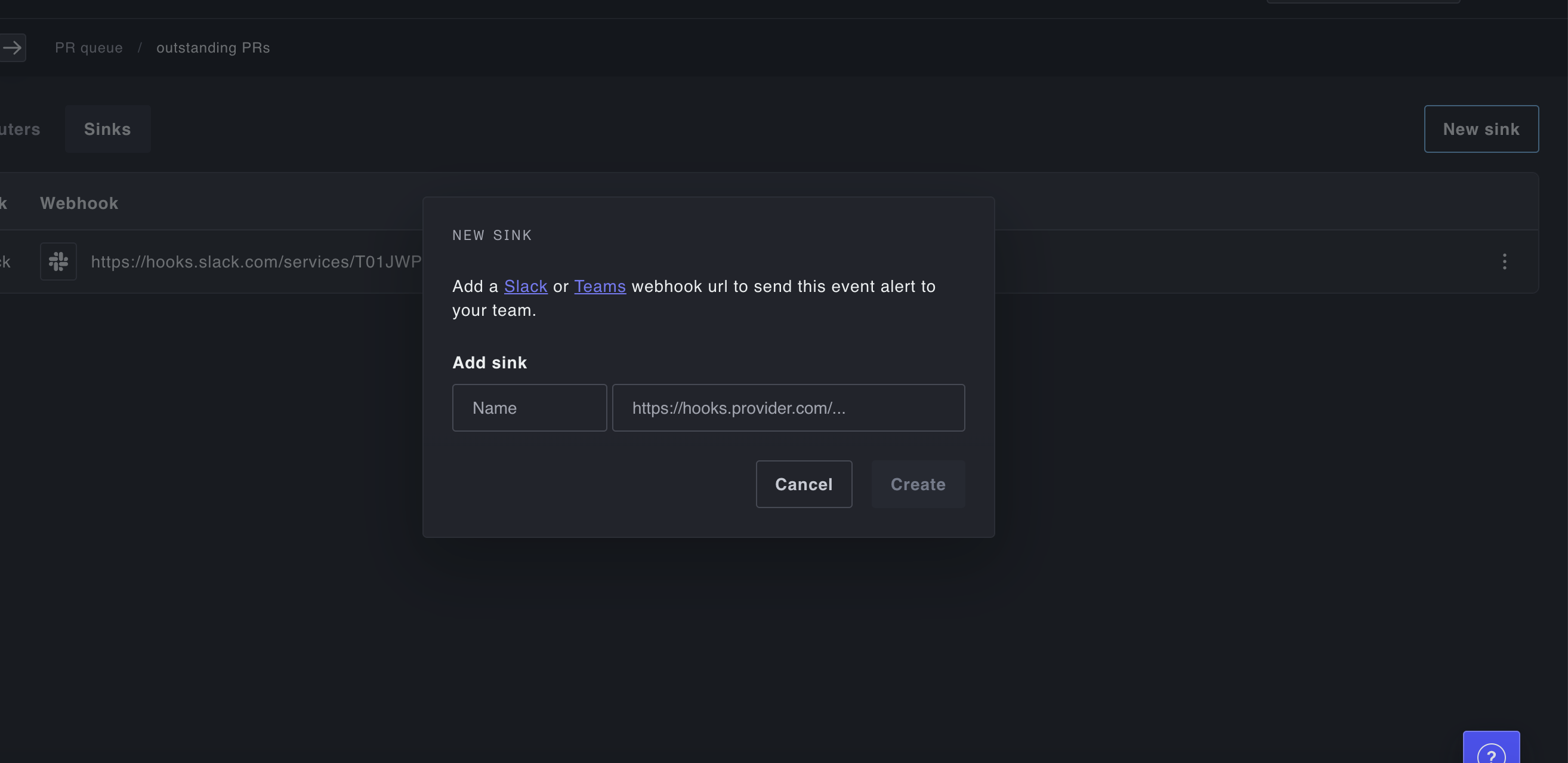
Enter an incoming webhook URL for Slack or Microsoft Teams and a name for the sink, and you should be set to start configuring notifications to that system. If you need an icon for Plural when creating the Slack/Teams bot that owns the incoming webhook, feel free to use any of our own icons, or download this one:

Set Up Your first Router
The best way to configure routers is with Kubernetes CRDs. If you're unfamiliar with our operator, it might be worth checking out our docs here to understand how it works and how the resources are structured. Once you're ready, the configuration is pretty simple: create two CRDs like the ones below:
apiVersion: deployments.plural.sh/v1alpha1
kind: NotificationSink
metadata:
  name: slack
  namespace: infra # can be any namespace you wish of course
spec:
  type: SLACK
  name: slack
---
apiVersion: deployments.plural.sh/v1alpha1
kind: NotificationRouter
metadata:
  name: firehose
  namespace: infra
spec:
  events: ['*'] # can be any of (service.update pipeline.update pr.create pr.close cluster.create or *)
  # optional filters to control which entities you deliver notifications for
  filters:
    - clusterRef:
        name: some-cluster
        namespace: infra
    - serviceRef:
        name: some-service
        namespace: infra
    - pipelineRef:
        name: some-pipeline
        namespace: infra
    - regex: pluralsh/.* # currently used only to filter using the repo slug for PR notifications
  sinks:
    - name: slack # notice this points to the sink resource above
      namespace: infra
Once those resources are configured, you should start to see events trickle into whatever channel you've configured them for.
Supported Notification Events
At the moment, a router will receive the following notification events:
service.updatepipeline.updatepr.createpr.closecluster.createstack.run
We'll update this list as future events are defined.
Supported Notification Sink Types
We currently support the following notification sink types:
SLACK- a Slack incoming webhookTEAMS- a Microsoft Teams incoming webhookPLURAL- in-app Plural Console notifications
The PLURAL sink type is unique in that it pairs with the sink's bindings attribute to control which users receive notifications. For instance, you could use:
apiVersion: deployments.plural.sh/v1alpha1
kind: NotificationSink
metadata:
  name: sres
  namespace: infra # can be any namespace you wish of course
spec:
  type: PLURAL
  name: sres
  bindings:
  - groupName: sre
to only deliver in-app notifications to the sre group. This doesn't work for external notification sinks because Console user groups are not meaningful constructs in Slack, Teams, etc.