OpenCost Configuration
Configure cost visibility with OpenCost on Plural
What You'll Get
Plural uses OpenCost to gather cost data for any deployed cluster. This works by:
- deploying an OpenCost instance per cluster, which acts as a lightweight agent exposing no web UI.
- configuring an extractor to periodically scrape that instance and ship the data to our central store for historical retrieval and analysis.
This provides a seamless multi-cluster experience for OpenCost data and, combined with Plural's built-in deployment knowledge and AI capabilities, can also automate the remediation of overprovisioning with our PR generation capabilities.
Once configured, you'll get:
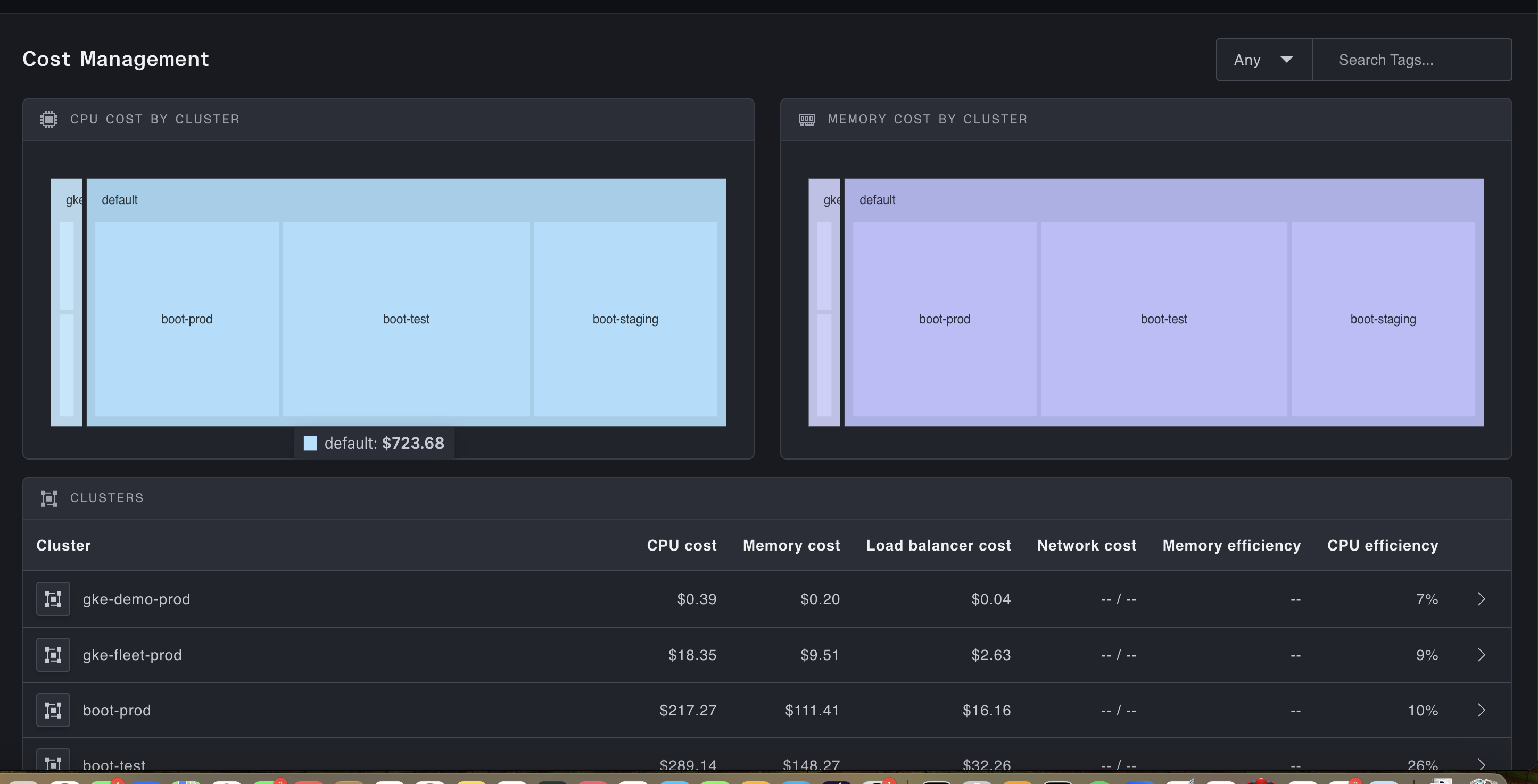
A full fleet-wide dashboard for cost information:
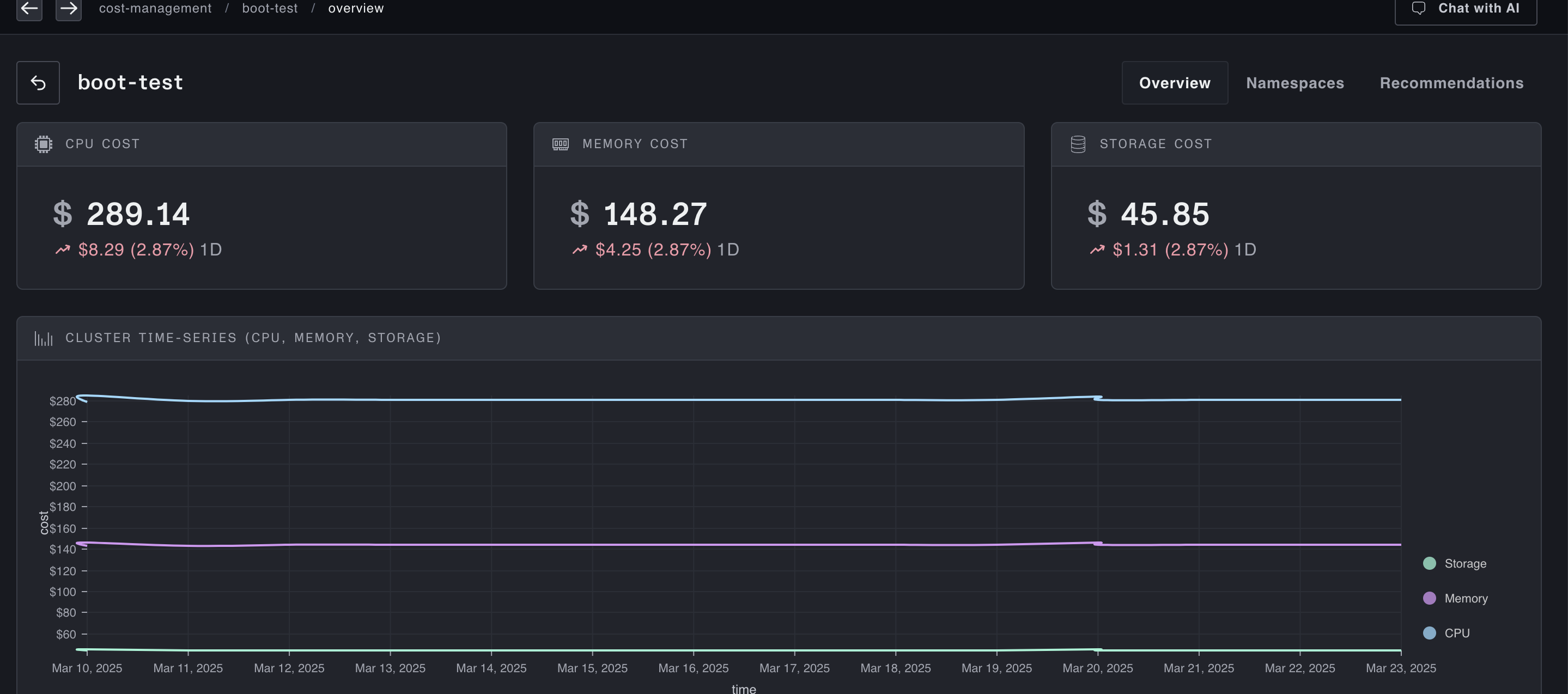
A dashboard for a specific cluster:
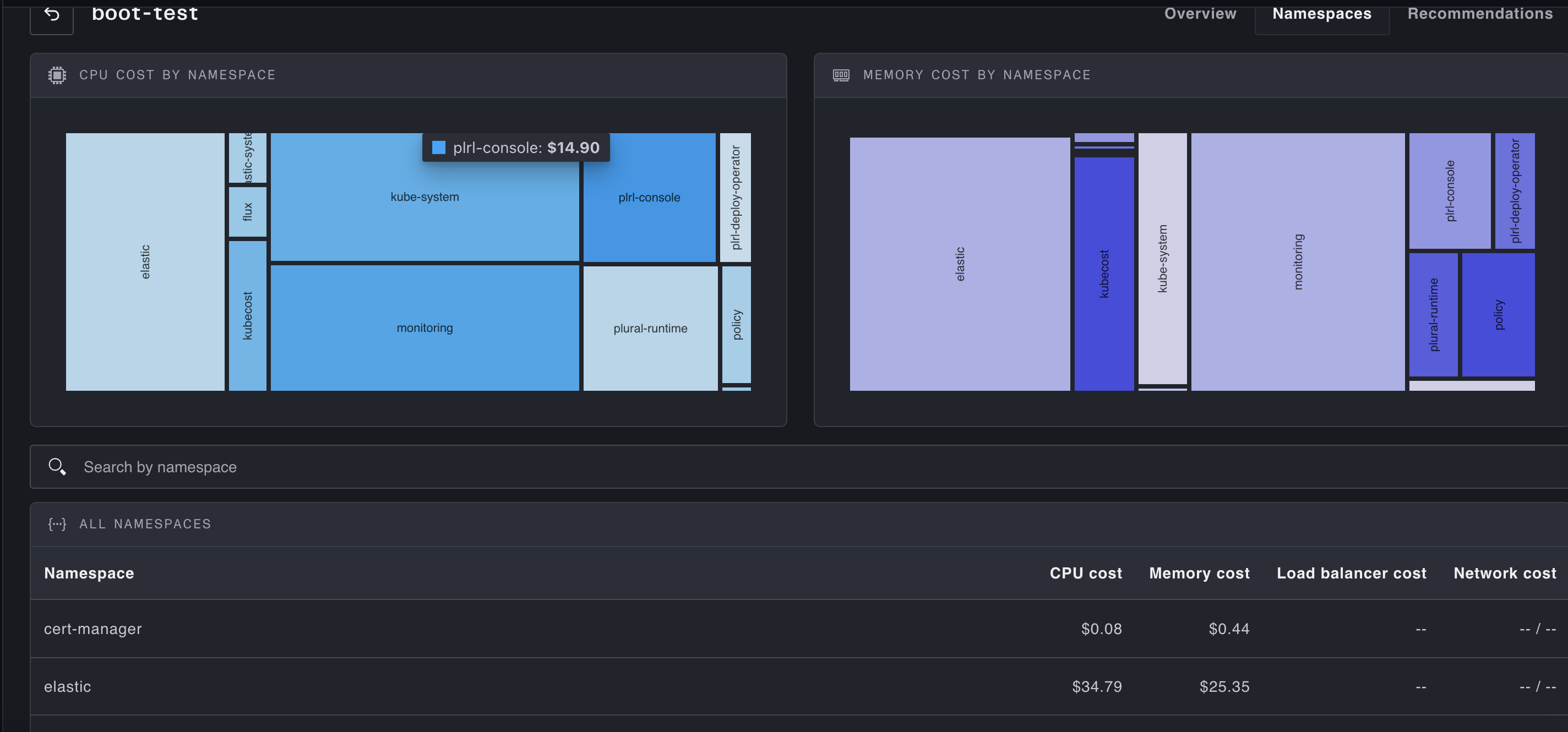
A namespace granularity breakdown of costs in a cluster:
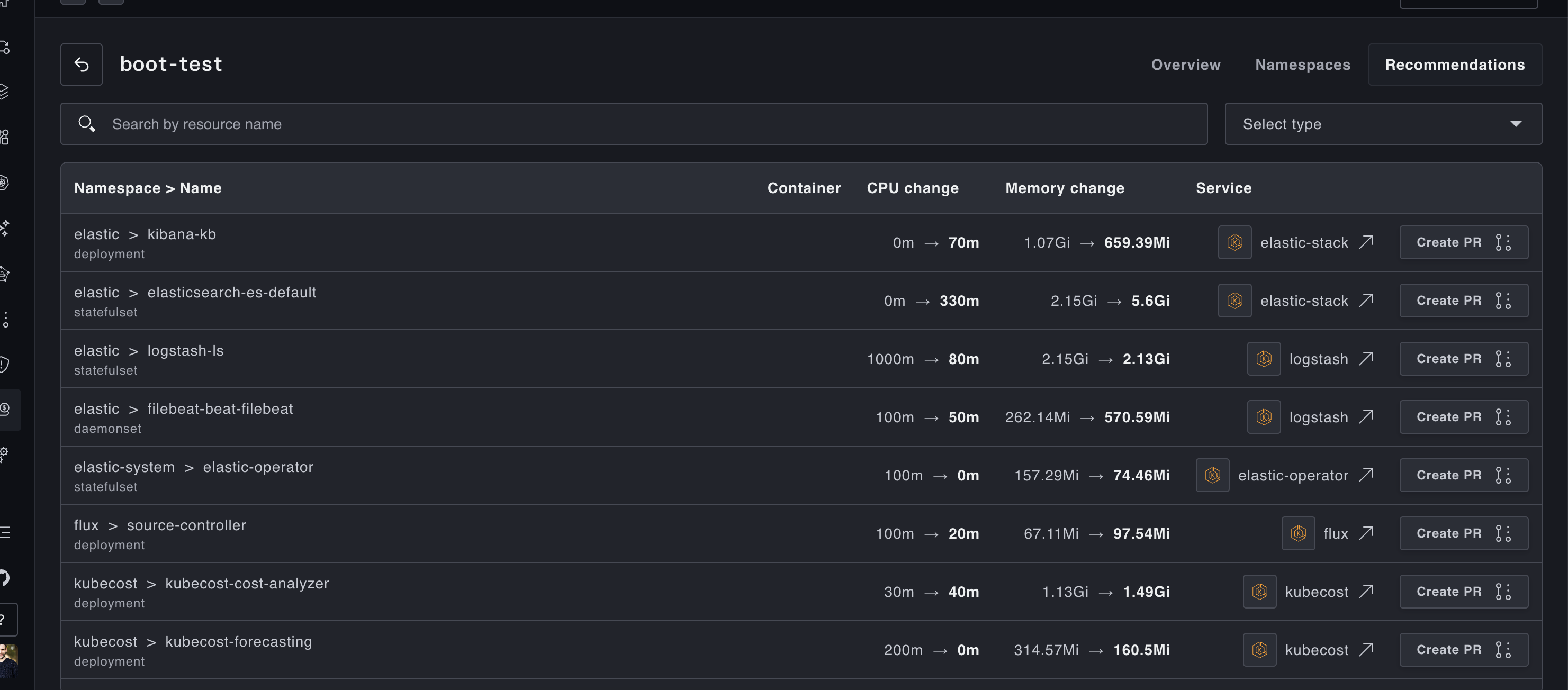
And recommendations to right-size workloads in a cluster:
Deploy out of our Service Catalog
Plural ships by default with a full Service catalog to easily deploy solutions across your stack, among them a setup of OpenCost. This will:
- set up the OpenCost agent across your fleet
- configure the Kubecost extractors to ship cost data back to Plural
To deploy out of our service catalog, go to Service Catalog -> devops -> kubecost-setup and fill out the wizard. It requires no advanced configuration; you should only need to provide a branch name for the PR that configures it.
Manually Configure against an Existing OpenCost Instance
You can also use an existing OpenCost/Kubecost install with Plural for aggregation. To do this, make sure the following CRD is installed everywhere (installation of the Plural Operator is required):
apiVersion: deployments.plural.sh/v1alpha1
kind: KubecostExtractor
metadata:
  name: default
spec:
  interval: "1h"
  recommendationThreshold: "1"
  kubecostPort: 9090
  kubecostServiceRef:
    name: kubecost-cost-analyzer # this is the kubernetes service hosting the kubecost api
    namespace: kubecost