Prometheus Configuration
Configure multi-cluster Prometheus with Plural
What You'll Get
Plural uses Prometheus for a few main purposes:
- Displaying saturation data for common compute controllers within Kubernetes, like deployments and statefulsets
- Displaying cluster-level aggregate metrics for CPU, memory, pod saturation, etc.
- Extracting network metrics for service mesh observability; in particular, Istio and Cilium both ship their standard network metrics to Prometheus. We can use them to provide a holistic network graph and also use that information to inform Plural AI.
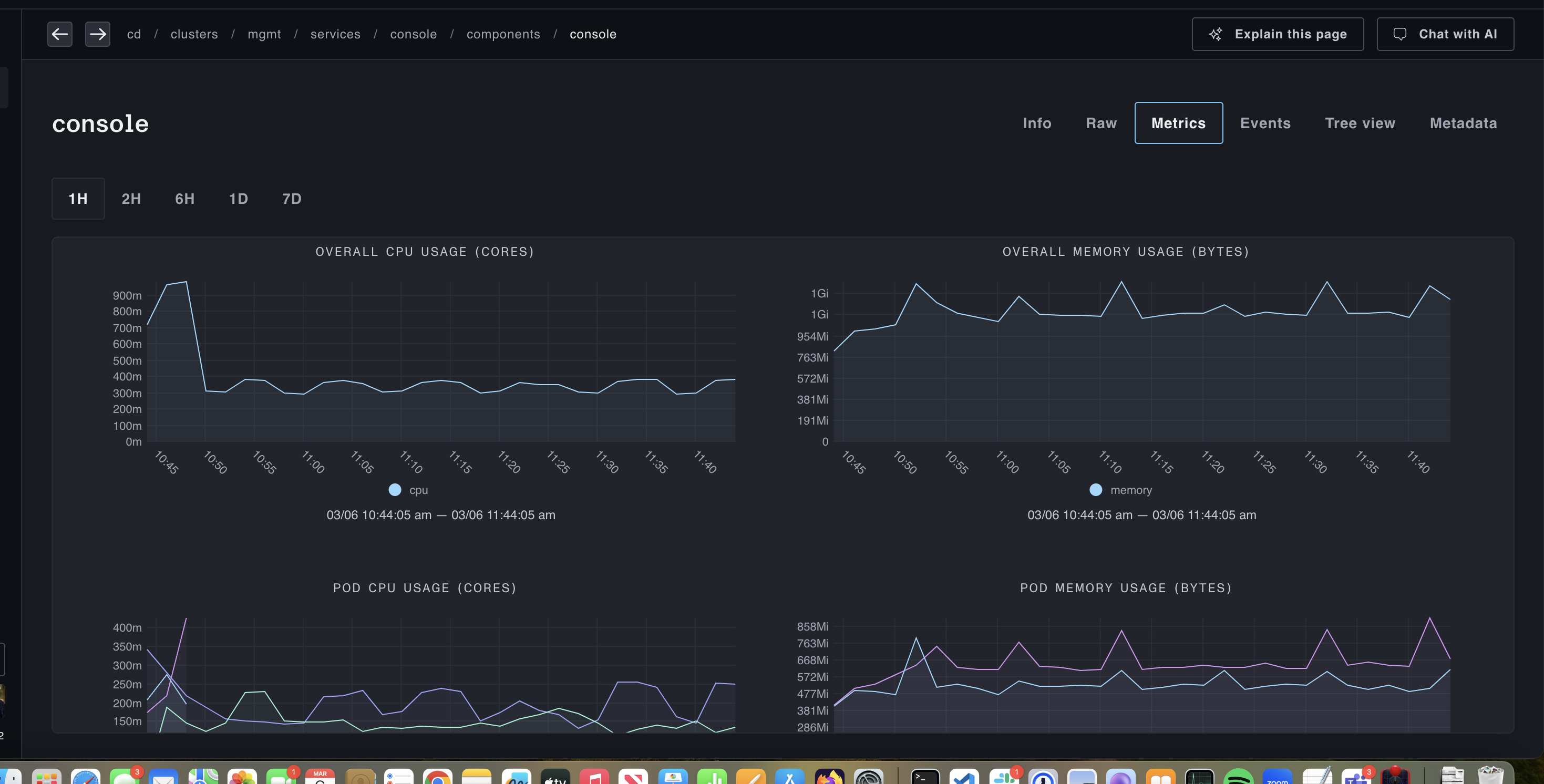
Once configured, if you go to a compute-related resource and click on the Metrics tab, you'll see something like:
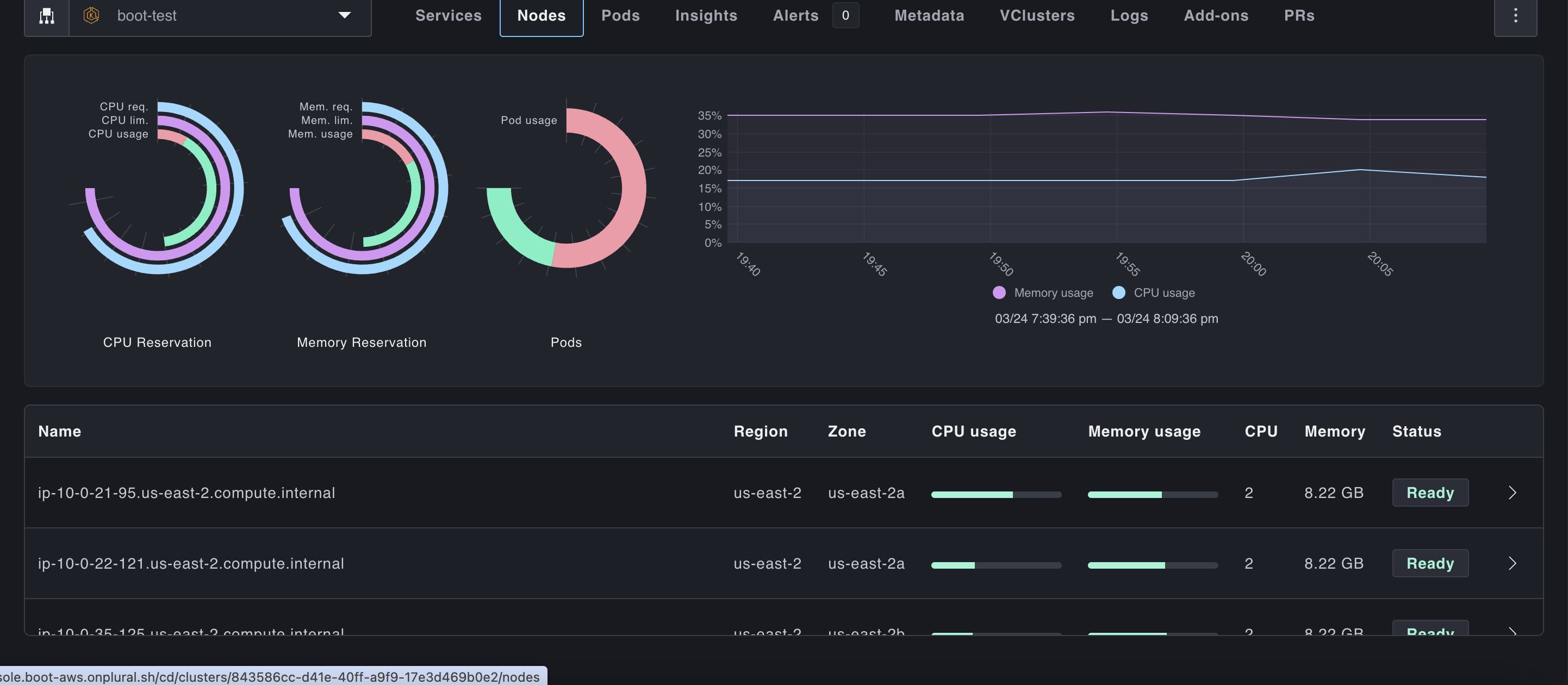
And cluster saturation views will look like:
Deploy out of our Service Catalog
Plural ships by default with a full Service catalog to easily deploy solutions across your stack, among them a robust, scale-out setup of Prometheus using VictoriaMetrics. This solves several key problems with mainline Prometheus:
- Horizontal scaling - Prometheus scales only vertically, which is a poor fit for monitoring large sets of Kubernetes clusters that emit a very large volume of metrics, and increases operational burden. VictoriaMetrics supports a horizontally scalable cluster mode, which solves this entirely
- Inefficient agent mode - Prometheus wasn't built for a remote-write model, and its agent mode still effectively requires a local Prometheus store on-cluster.
vmagentis a much better implementation and also adds support for other protocols like statsd. Remote write is necessary for multi-cluster observability since you likely cannot ingress into all clusters to perform metrics scrapes. - Better Kubernetes operator implementation - the mainline Prometheus operator has several longstanding issues, in particular not supporting volume resizing as discussed here
To deploy out of our service catalog, go to Service Catalog -> devops -> prometheus-setup and fill out the wizard. It should look something like this:
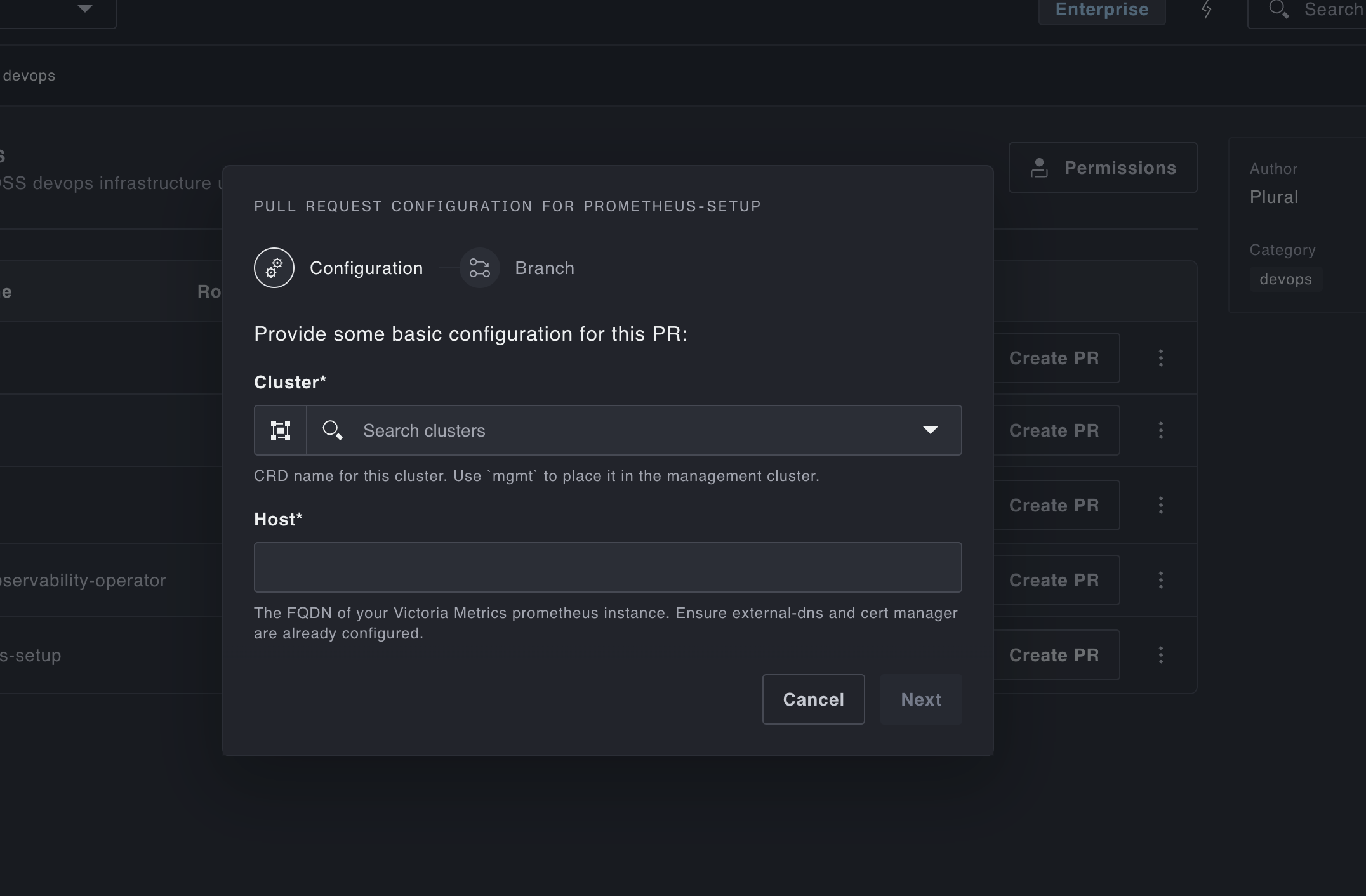
The generated PR will have configured:
- a deployment of VictoriaMetrics server to store metrics
vmagentto ship metrics to the server- the configuration of the setup in the
DeploymentSettingsCRD to register them with Plural
Custom Resource Configuration
To do this manually with an existing Prometheus setup, you'd need to wire configuration like the following:
apiVersion: deployments.plural.sh/v1alpha1
kind: DeploymentSettings
metadata:
  name: global # this is a singleton resource that is always at this location
  namespace: plrl-deploy-operator
spec:
  prometheusConnection:
    host: https://{your-prometheus-url}
    user: plrl
    passwordSecretRef:
      name: basic-auth-prom
      key: password
We also expect a cluster label on all Prometheus metrics that matches the cluster handle in Plural. If it's not present, we might not be able to properly correlate metrics with clusters/workloads. This will be configured out-of-the-box by our vmagent setup.