At-Scale Infrastructure Testing with Sentinels
Automate testing over any set of Kubernetes Clusters with the Sentinel Resource
Validating the correctness of any infrastructure change is a meaningfully complex task, with no equivalent of the local unit tests that work well at the application layer. Slight differences almost always require some degree of live integration testing. Multiply this by n Kubernetes clusters, for any large n, and you definitely need to automate.
Sentinels provide a flexible abstraction to solve this. In particular, they allow you to bundle a sequence of checks that can:
- Run terratest-based integration tests across any subset of your clusters and aggregate the results
- Tail logs across any set of clusters using search filters, and analyze them with AI and git-sourced rules files
- Deep-query a Kubernetes resource on a cluster and analyze its health with AI and git-sourced rules files
Once a sentinel is defined, it can be run on demand at any time via API. This can be triggered:
- in our UI
- in GitHub Actions or other CI systems
- in Plural pipelines
Some common use cases they are particularly well suited for are:
- Validating that Kubernetes upgrades do not introduce regressions
- Cross-cutting Kubernetes operator changes (e.g. Istio upgrades)
- Validating that network reconfigurations are safe
But there are likely many more.
The motivation behind all of these, and the use of AI, is that confirming infra health often requires aggregating multiple textual data sources and interpreting them with some degree of discretion, which consumes meaningful man-hours. You cannot do that deterministically, so a governed AI-based approach is needed. For deterministic correctness, a full terratest run can exercise common paths like validating pods start, storage volumes can be mounted, networking is enabled, etc.
Set Up Your First Sentinel
Defining a new sentinel is best done via CRD. If you set up Plural with plural up, you can register it in a file like bootstrap/sentinels/example.yaml:
apiVersion: deployments.plural.sh/v1alpha1
kind: Sentinel
metadata:
  name: example
spec:
  description: Test baseline kubernetes health
  repositoryRef:
    name: infra
    namespace: infra
  git:
    ref: main
    folder: rules
  checks:
    - name: console-logs
      type: LOG
      ruleFile: logrule.md
      configuration:
        log:
          query: error
          duration: 5m
          namespaces:
          - cert-manager
          - external-dns
          - kube-system
    - name: integration-tests
      type: INTEGRATION_TEST
      configuration:
        integrationTest:
          format: JUNIT
          tags:
            tier: dev

          # notice no job image is specified, we ship with a working integration test out of the box that can be used
          # without upfront development.
          jobSpec:
            namespace: plrl-deploy-operator
serviceAccount: deployment-operatorWhen run, this sentinel will do the following in parallel:
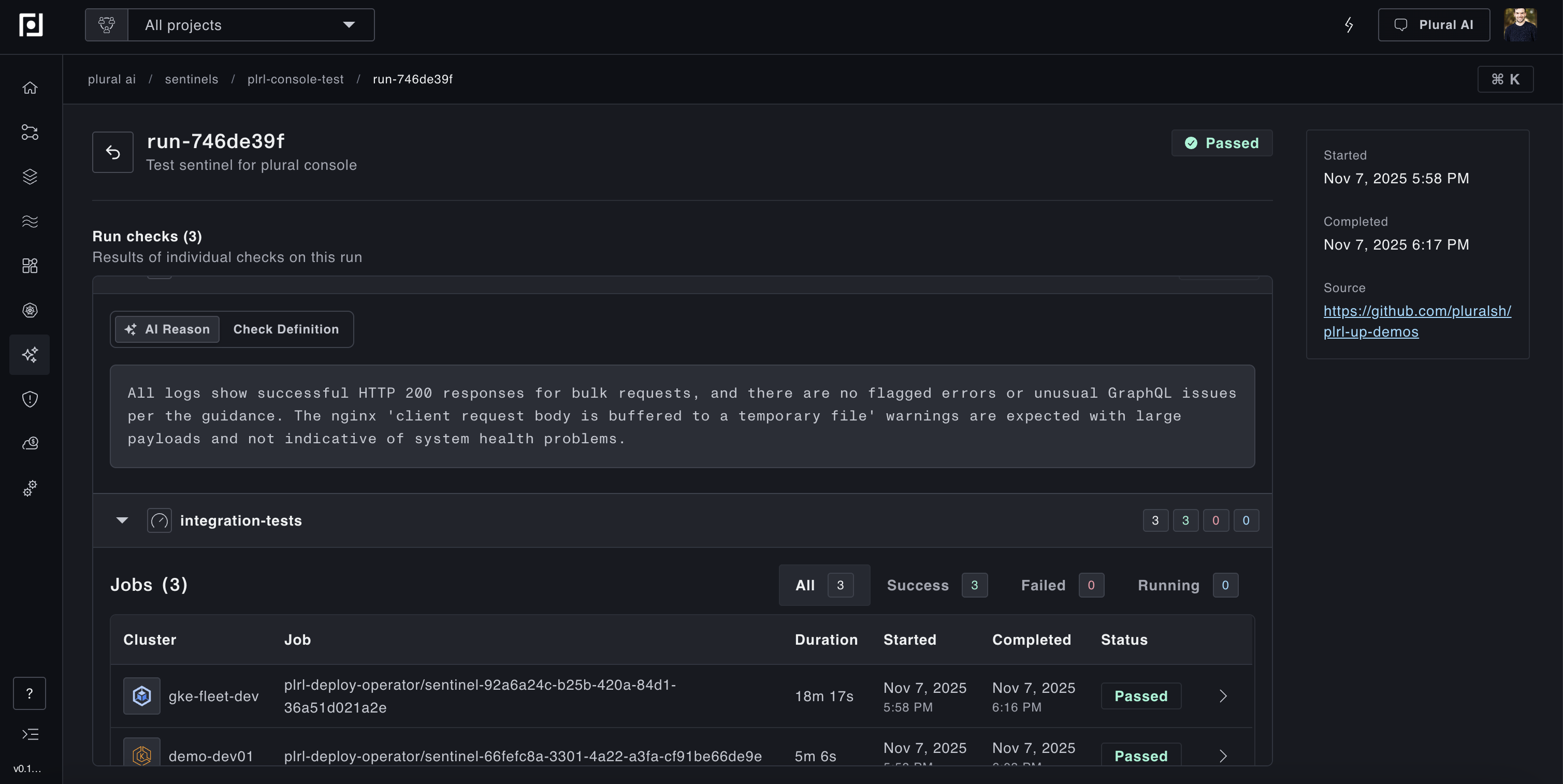
- Query the logs of the configured namespaces (cert-manager, external-dns, and kube-system, some common low-level operator namespaces) over the last 5m for errors, then analyze any results according to a rule file specified in git. You as the engineer can tune how the AI operates with that rule file.
- Launch our default terratest job across all
tier: devclusters, doing a basic sequence of health checks.
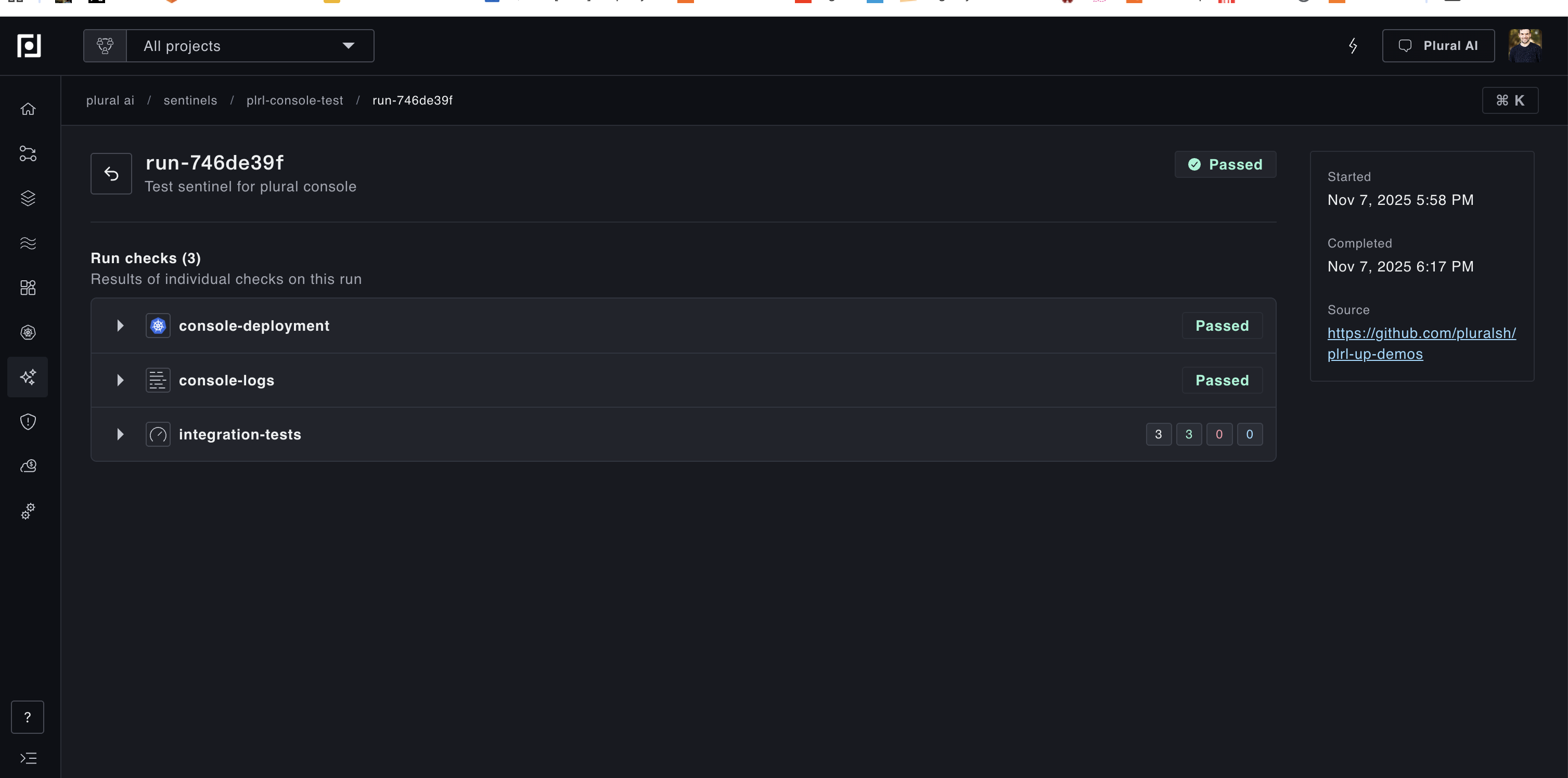
You can run a sentinel at any time in your Plural Console instance by navigating to AI -> Sentinels -> {sentinel-name}. Once it runs, you'll see something like this: