Agent configuration and usage
Configure agent runtimes and run agent tasks.
Prerequisites
- A repository connected in Plural Console (agents can only select from configured repos).
- SCM connection configured outside the agent UI (for example, via SCM integration settings).
Configure an AgentRuntime
Use AgentRuntime to define the provider and runtime options. With aiProxy: true, provider API keys are unnecessary because requests are routed through the Console AI proxy. For field-level details, see the AgentRuntime API reference and AgentRuntimeSpec API reference.
apiVersion: deployments.plural.sh/v1alpha1
kind: AgentRuntime
metadata:
  name: codex-default
  namespace: plrl-agents
spec:
  targetNamespace: plrl-agents
  type: CODEX
  default: true
  aiProxy: true
  config:
    codex:
      # if not using ai proxy, can provide an explicit token
      # apiKeySecretRef:
      #   name: ai-config
      #   key: openai
      model: gpt-5.6-terra
Supported runtime types are CLAUDE, OPENCODE, GEMINI, CODEX, PI, and CUSTOM.
Optional: Enable codebase memory persistence
Agent runtimes include the codebase-memory-mcp server for graph-backed code search. By default, its indexes are stored only in the agent pod cache and generated .codebase-memory/ artifacts are excluded from commits.
Set spec.memory: true to enable team-shared memory persistence by default:
spec:
  memory: true
When enabled, agents index repositories with persistent artifact export enabled, allowing .codebase-memory/graph.db.zst and the related .gitattributes update to be committed so future runs can bootstrap from the shared graph. Leave this unset or false if you want every run to keep its codebase-memory index local to the runtime cache.
Tune runtime resources
AgentRuntime accepts a pod template so you can set CPU/memory requests and limits for the agent container. Use the default container name to target the main agent container.
apiVersion: deployments.plural.sh/v1alpha1
kind: AgentRuntime
metadata:
  name: claude-default
  namespace: plrl-agents
spec:
  targetNamespace: plrl-agents
  type: CLAUDE
  template:
    spec:
      containers:
        - name: default
          resources:
            requests:
              cpu: "1"
              memory: 2Gi
            limits:
              cpu: "4"
              memory: 8Gi
If you enable a browser sidecar, use spec.browser.container.resources to tune the browser container resources.
Add network policies for the runtime
Agent runs execute inside spec.targetNamespace, so apply NetworkPolicies in that namespace. Use an empty podSelector to apply the policy to all pods in the namespace. For more background on how NetworkPolicies work, see the Kubernetes Network Policies documentation.
apiVersion: networking.k8s.io/v1
kind: NetworkPolicy
metadata:
  name: agent-runtime-egress
  namespace: plrl-agents
spec:
  podSelector: {}
  policyTypes:
    - Egress
  egress:
  - to:
    - namespaceSelector:
        matchLabels:
          kubernetes.io/metadata.name: kube-system
      podSelector:
        matchLabels:
          k8s-app: kube-dns
    ports:
    - protocol: UDP
      port: 53
    - protocol: TCP
      port: 53
  - to:
    - namespaceSelector:
        matchLabels:
          kubernetes.io/metadata.name: egress
      podSelector:
        matchLabels:
          app: egress-proxy
    ports:
    - protocol: TCP
      port: 3128
Replace the namespace selectors and pod selectors with the destinations your agents must reach (SCM, AI endpoints, package registries, etc.).
Run an agent from the Console UI
Agent runs are created from the Console UI. Use the flow below to start a run and review results.
Step 1: Open Agent runs
Navigate to Plural AI -> Agent runs.
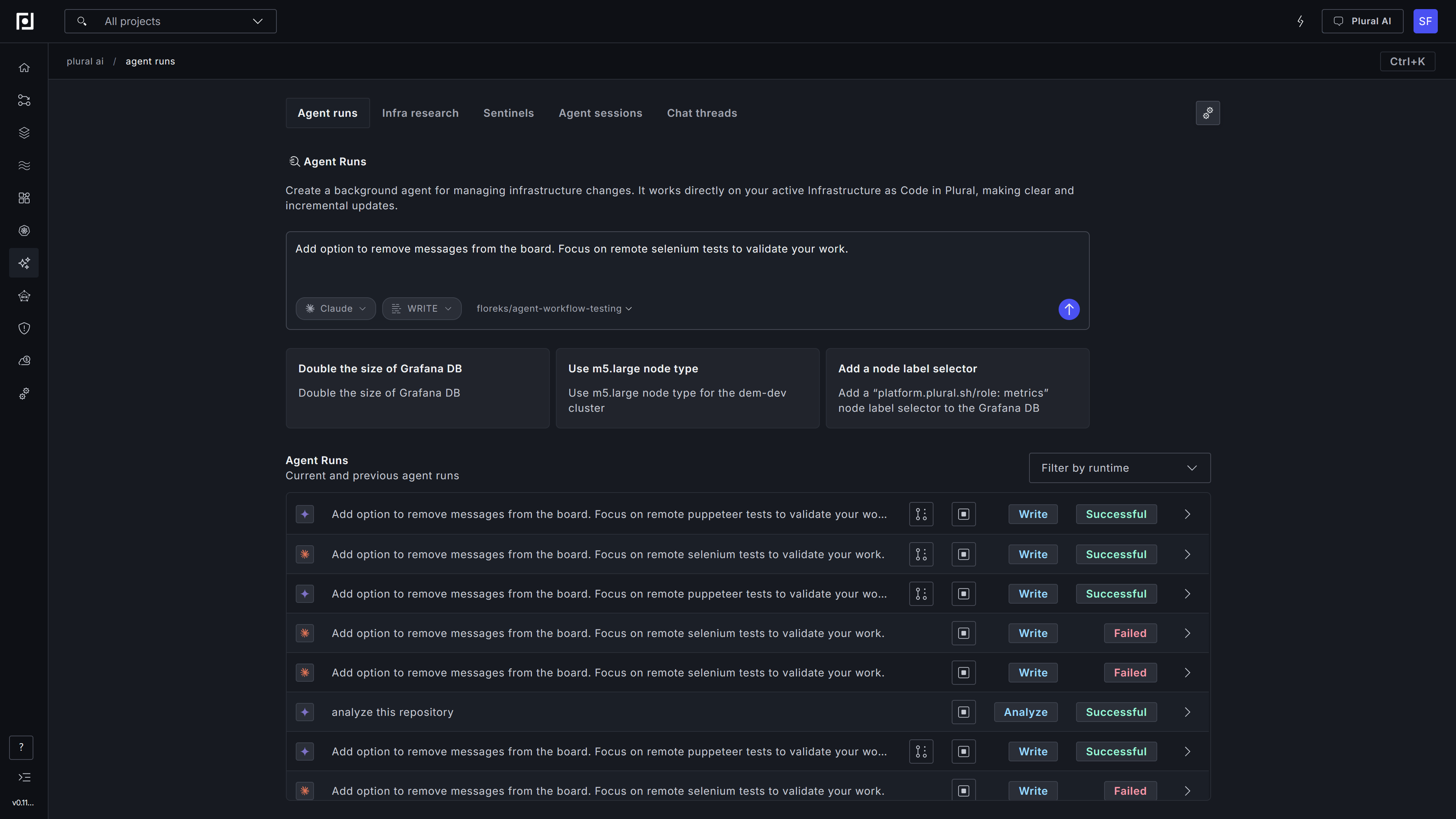
Step 2: Create a new run
In the main view, fill in:
- Prompt describing the task.
- Repository selected from the list of recent repositories, or a custom URL.
- Mode set to
WRITEorANALYZE. - Provider matching the runtime type you configured.
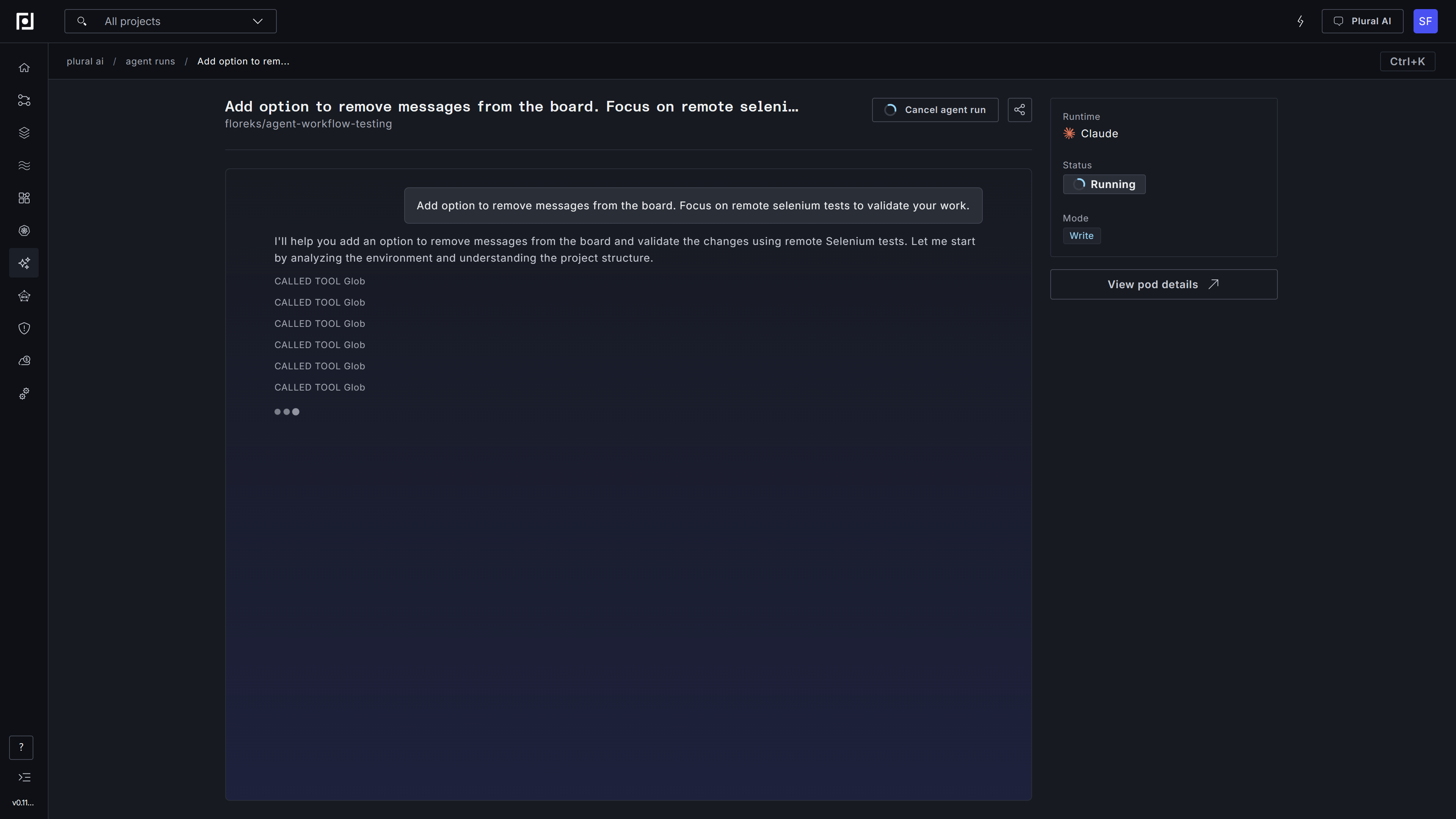
Step 3: Track progress
The agent works in the background and streams updates to the run timeline.
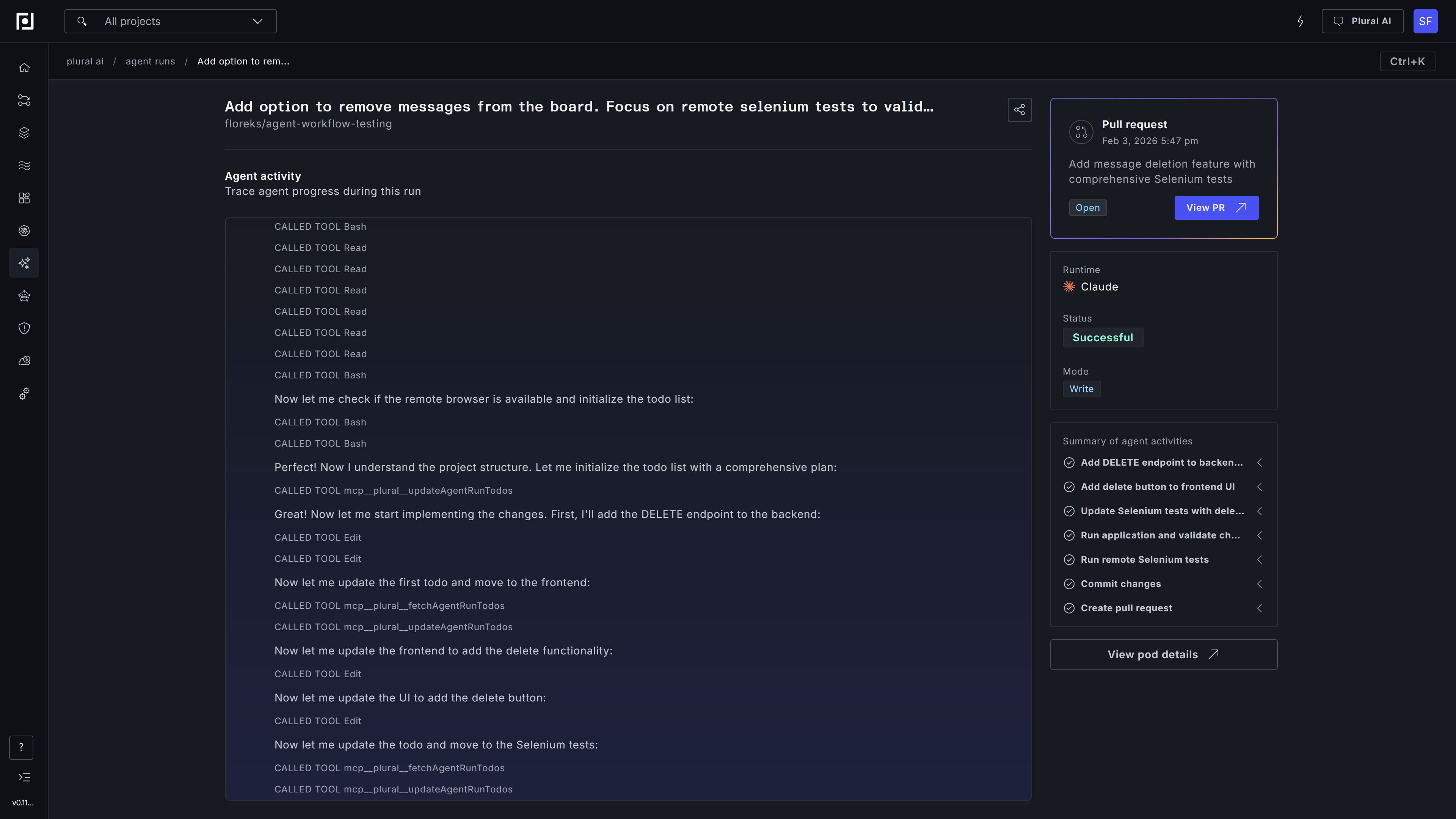
Step 4: Review results
- In
WRITEmode, the agent applies changes and opens a pull request. - In
ANALYZEmode, the agent produces a markdown summary visible in the Console.
Optional: Enable Docker-in-Docker
If your agent needs to build images or run containers, enable DinD in the runtime:
spec:
  dind: true
Optional: Prebake repositories and mise toolchains
Point spec.repositoryImage at an OCI image of precloned (and optionally precompiled) git repositories so bootstrap copies locally instead of git clone. The published Console image is docker.io/pluralsh/console-repos. To build your own, extend docker.io/pluralsh/repository-prebake and RUN prebake in a normal Dockerfile.
See Prebaked repositories for image layout, how to extend the base image, precompile, and mise / readOnlyRootFilesystem.