Coding agent
Give workbench agents the ability to read and write code in your repositories
Overview
The coding agent extends a workbench with the ability to read source code, propose changes, and open pull requests. When enabled, the agent can go from "I found a problem" to "here is a PR that fixes it" in a single job run — without manual intervention.
Coding capabilities are optional. Workbenches that are purely operational (querying metrics, triaging alerts, summarizing Kubernetes state) do not need a coding agent configured.
Prerequisites
The coding agent runs inside a sandboxed Kubernetes pod managed by an AgentRuntime resource on your management cluster. You must deploy and configure an AgentRuntime before enabling coding in a workbench.
See Configure an AgentRuntime for full setup instructions, including:
- Deploying the
AgentRuntimeCRD with your AI provider credentials (Claude, OpenCode, or Gemini) - Tuning pod resource requests and limits
- Configuring network policies for the agent namespace
Once an AgentRuntime is deployed and set as default: true (or you have at least one runtime available), it will appear in the workbench coding agent step.
Enabling the coding agent
In the workbench creation wizard, navigate to Step 3: Coding agent and select a runtime from the Select runtime dropdown.
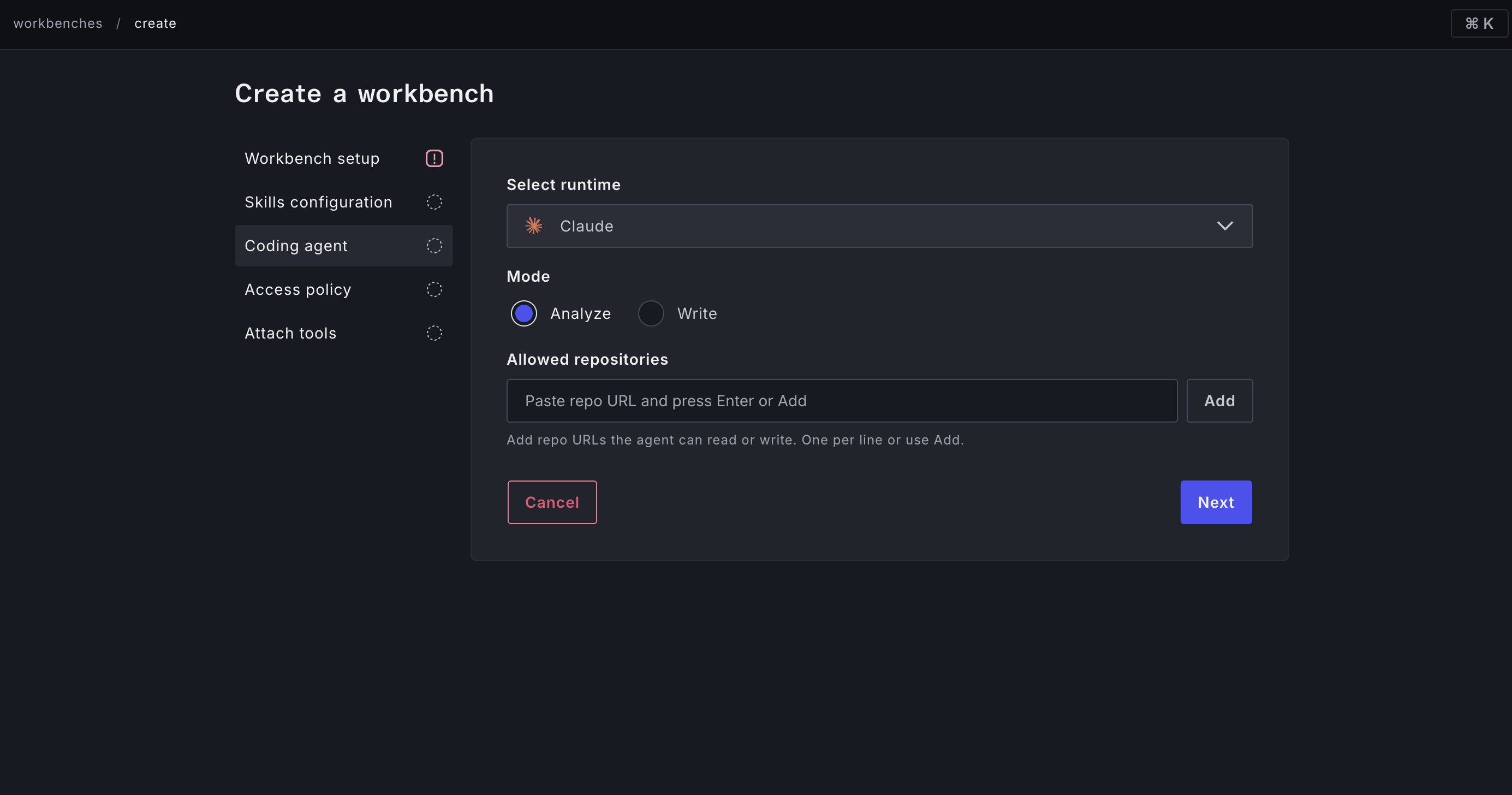
Mode
| Mode | What the agent can do |
|---|---|
| Analyze | Read source code, reason about it, and include code-level findings in job conclusions. Cannot commit changes or open PRs. |
| Write | Everything in Analyze, plus: commit changes and open pull requests against the configured repositories. |
Start with Analyze mode if you are not yet sure the agent will produce good output. You can switch to Write later once you have seen the quality of its analysis in real jobs.
Allowed repositories
Specify the repositories the agent is permitted to read or write. Enter each as a valid Git clone URL (e.g. https://github.com/acme/infra.git).
If the selected runtime has a pre-configured allow-list of repositories, you will be prompted to select from that list rather than entering URLs manually.
Babysitting (Write mode only)
When Enable babysitting is on, the agent opens a pull request and then continues to monitor it — watching for PR review comments and CI failures and pushing additional commits to address them. The session ends automatically when the PR is merged or when the session times out.
This is useful for:
- Iterating on a change until CI is green without manual re-runs
- Automatically incorporating reviewer feedback as follow-up commits
- Letting the agent drive a change to completion while humans stay in the review loop
With babysitting off, the agent opens a pull request and exits, leaving your normal review process to handle the rest.
How coding shows up in job results
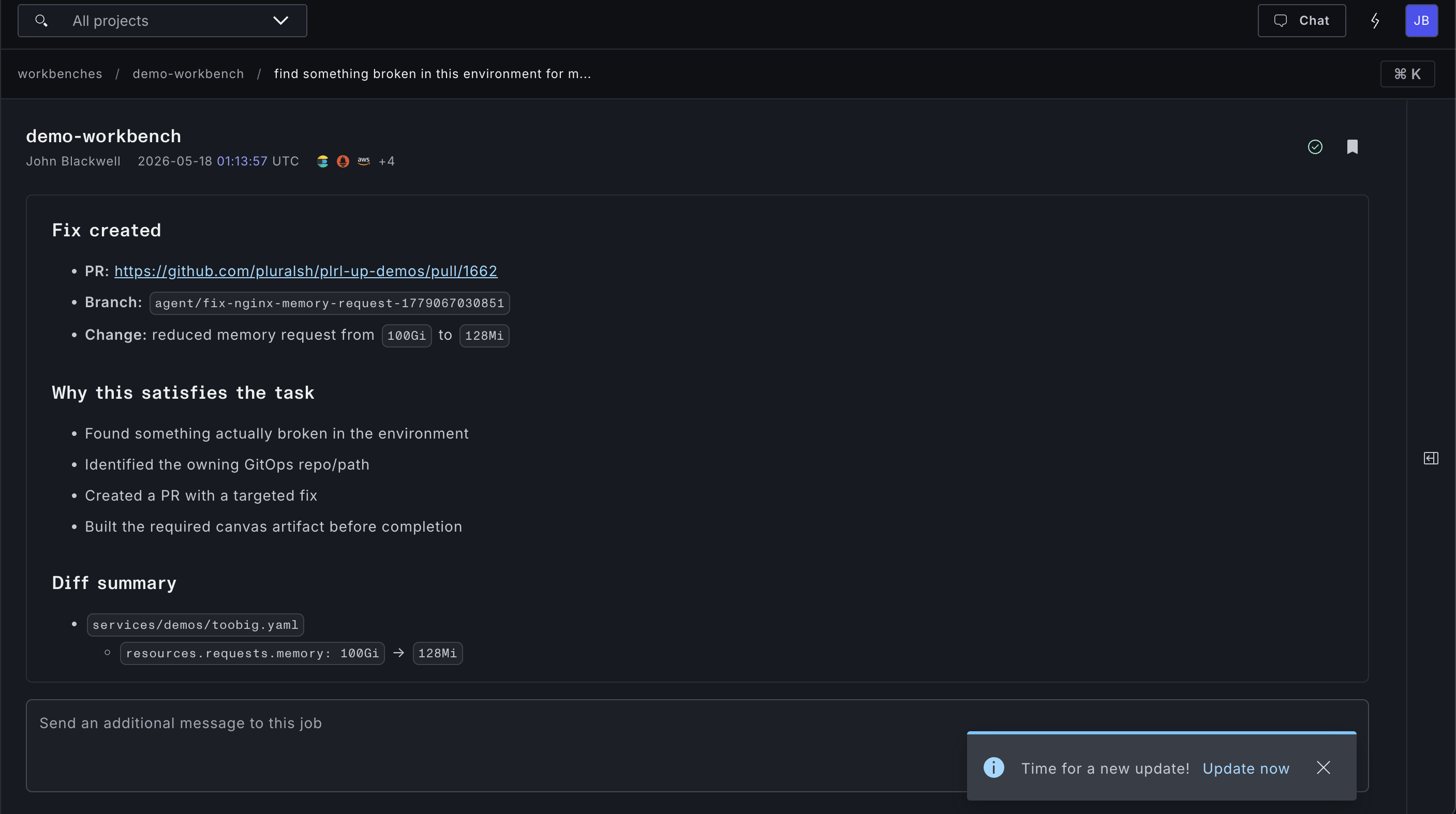
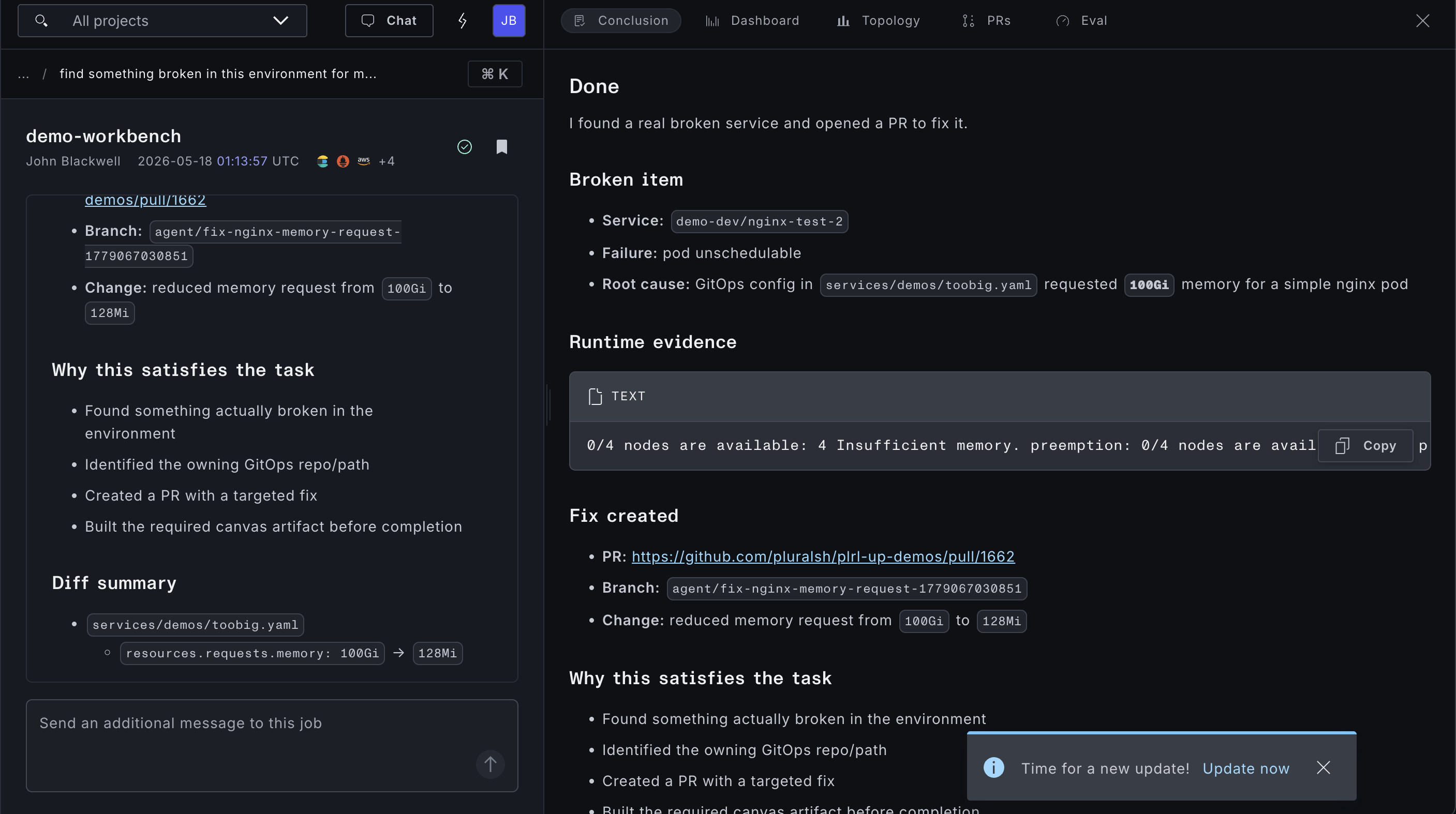
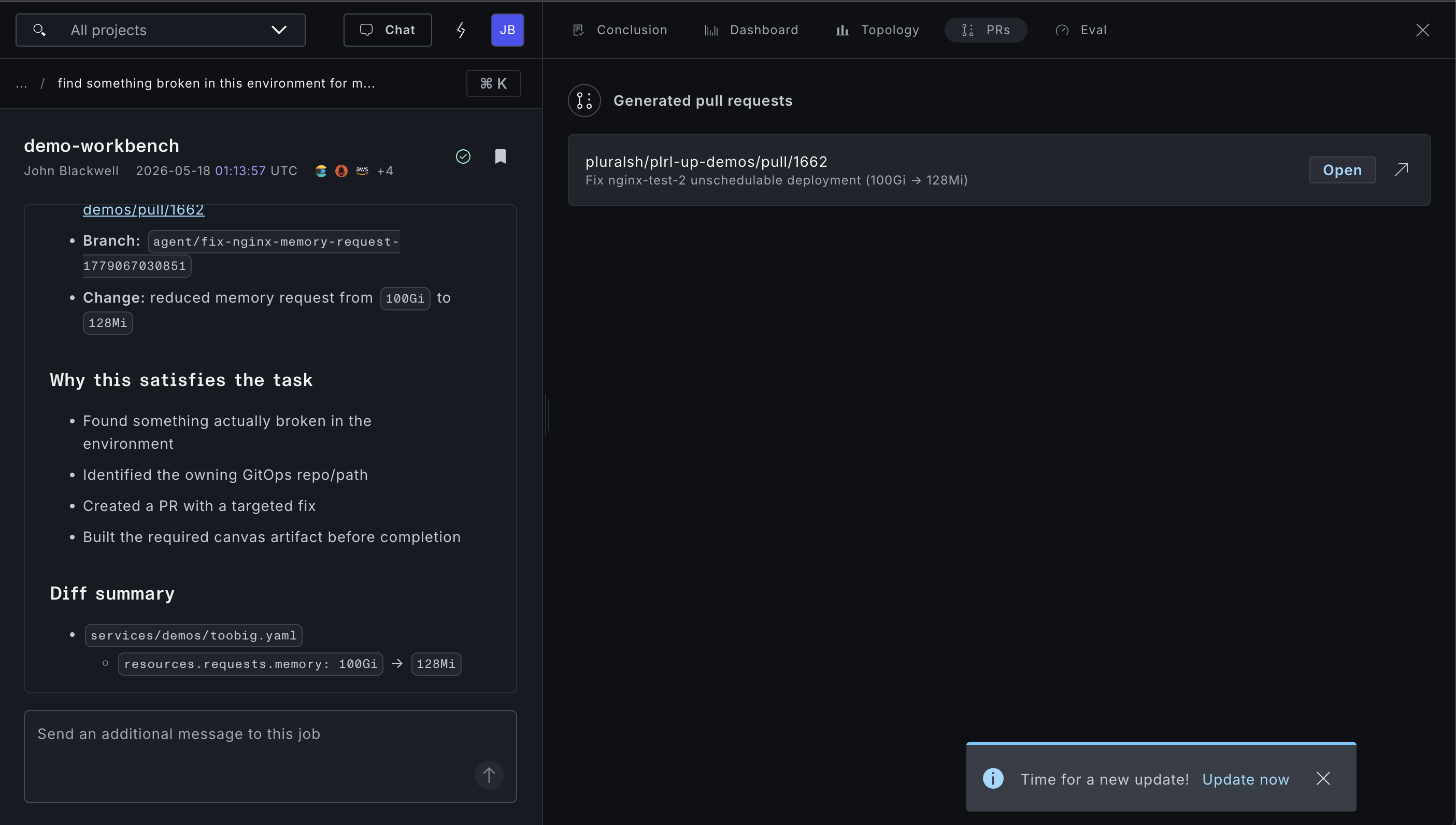
When a job completes with Write mode and the agent has opened pull requests, they appear in the job's Result panel under Pull requests. Each entry links directly to the PR in your SCM provider.
Combining coding with operational capabilities
The most powerful workbench configurations pair operational capabilities with a coding agent:
- Kubernetes + Pod logs + Write mode — investigate a crashing service, identify the offending configuration, and open a PR against the GitOps repo to fix it
- Stacks + Write mode — detect drift in Terraform state and open a PR to reconcile the IaC definition
- Vulnerabilities + Write mode — scan for CVEs in Plural-managed services and open PRs to bump affected dependency versions in the relevant repos
In these patterns, the agent moves through a full remediation loop: observe, diagnose, fix, and create a reviewable artifact — all within a single workbench job.