Setting up a workbench
End-to-end guide to creating, configuring, and running your first workbench
Prerequisites
Before creating a workbench, you need:
- Any external tools (Datadog, Prometheus, GitHub, Slack, etc.) configured in Workbenches → Integrations. Tools can be added later, but it is easiest to have them ready before creating the workbench. See Workbench tools.
- If you plan to enable the coding agent, an
AgentRuntimeresource deployed to your management cluster. See Configure an AgentRuntime.
Creating a workbench
Navigate to Workbenches in the Plural Console sidebar and click Create workbench. The creation flow is a five-step wizard. You can jump between steps at any time; the Create workbench button on the final step activates once all required fields are valid.
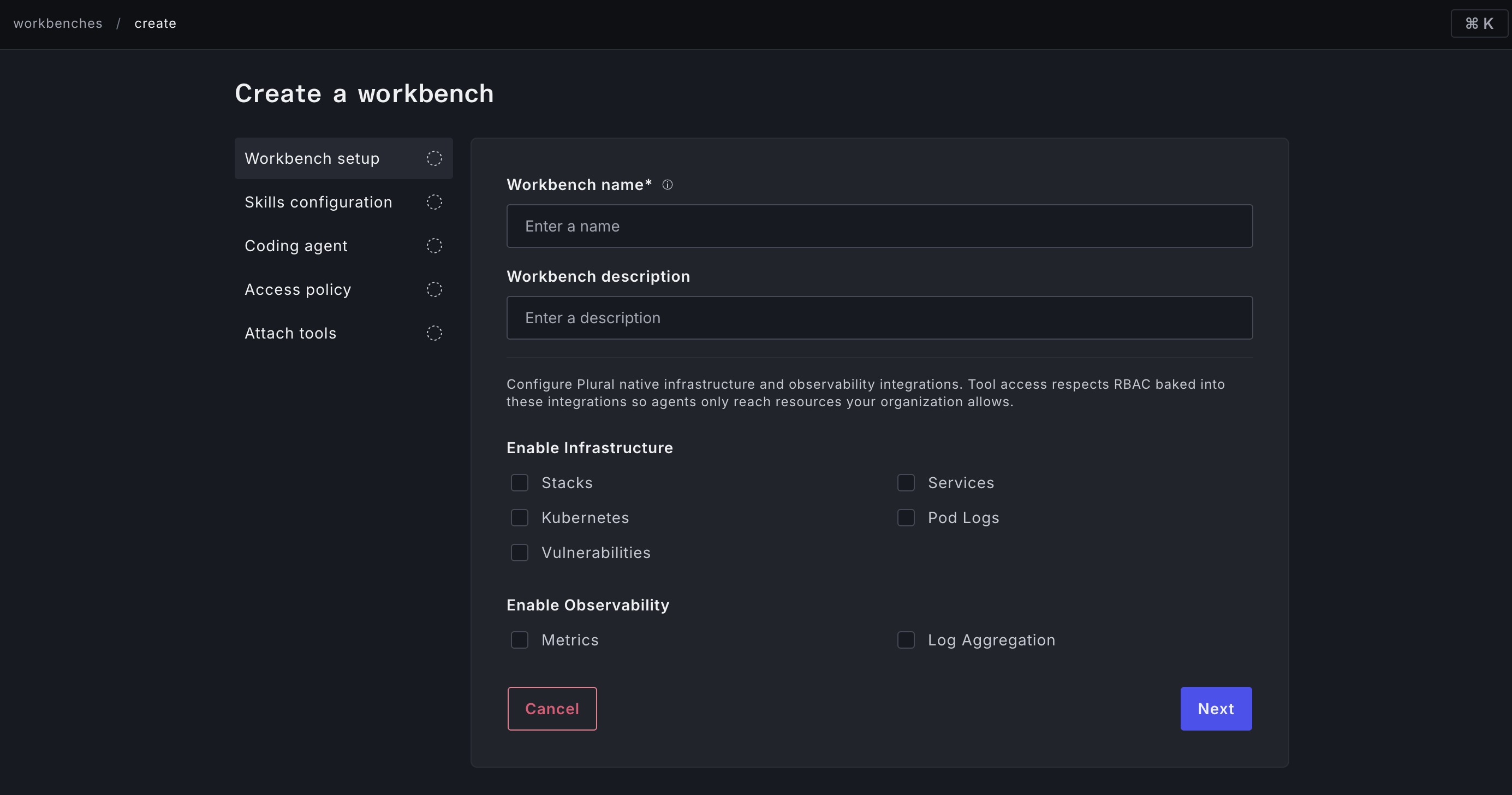
Step 1: Workbench setup
Name and description
Choose a name that reflects the agent's role — for example, platform-incidents, cost-analysis, or infra-self-service. The name must be unique within your Plural instance and is used in job logs, webhook confirmations, and chatbot messages.
Plural-native capabilities
These capabilities give the agent access to Plural's own internal tooling — the same data and controls available in the Plural Console, exposed as agent-callable tools. No external credentials are required; Plural handles authentication internally and all access still respects your existing RBAC.
Infrastructure
| Capability | Enable when you need the agent to... |
|---|---|
| Services | Inspect Plural-managed service deployments, check rollout status, or read service configuration |
| Stacks | Inspect IaC stack runs, read Terraform state summaries, or diagnose stack failures |
| Kubernetes | List and describe any Kubernetes resource via the cluster API (Deployments, Pods, Events, etc.) |
| Pod logs | Stream raw container stdout/stderr from Kubernetes pods |
| Vulnerabilities | Read Trivy vulnerability findings auto-associated with Plural services |
Observability
| Capability | Enable when you need the agent to... |
|---|---|
| Metrics | Query Prometheus, Datadog, or other configured metrics backends |
| Log aggregation | Search and aggregate logs from Loki, Elastic, or other configured log backends |
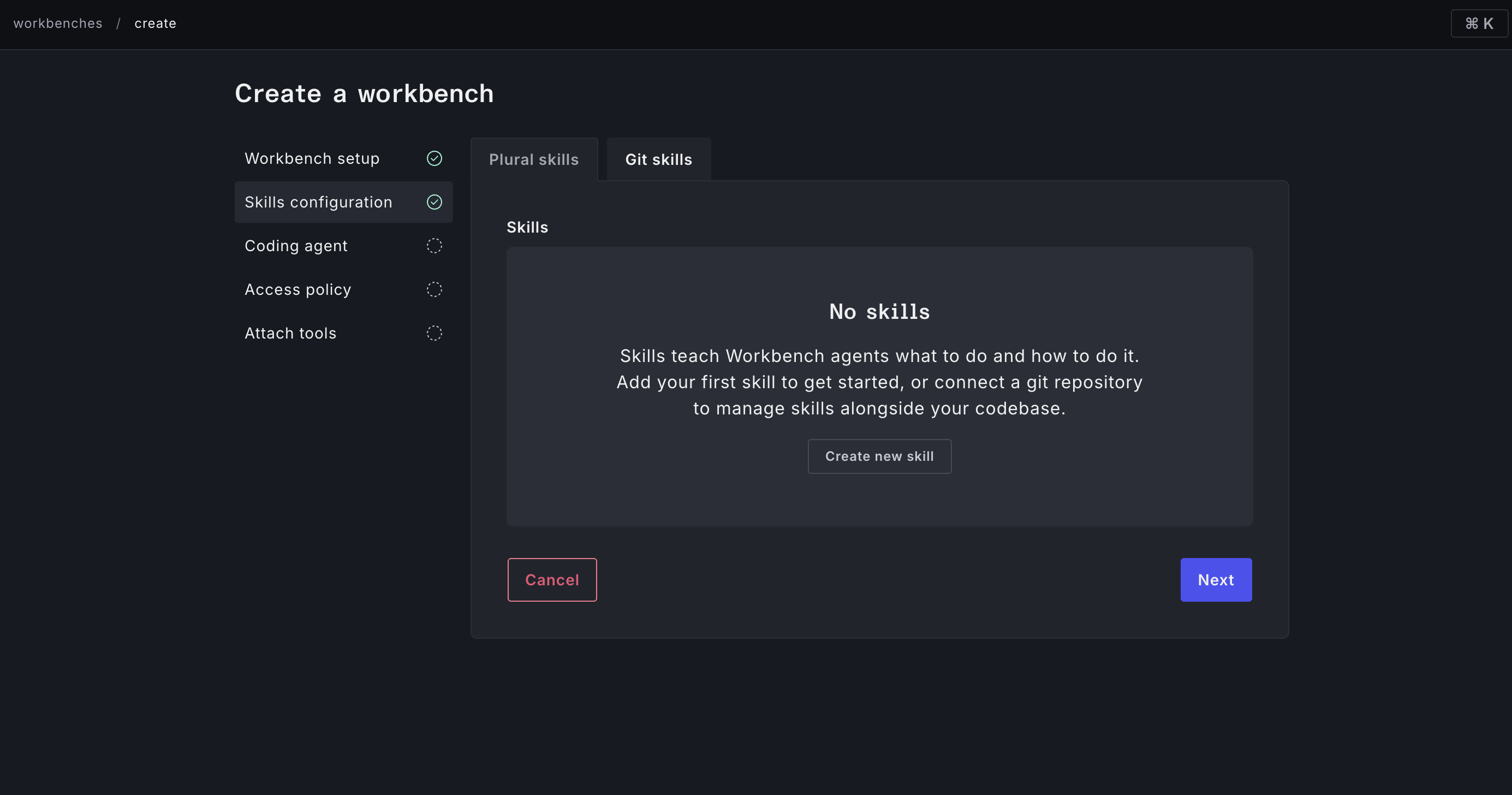
Step 2: Skills configuration
Skills are instruction documents the agent reads before executing a job. Use them to embed runbooks, tribal knowledge, or tool-usage guidance that is too detailed or too specific to put in the system prompt.
Plural skills
Plural ships a library of pre-built skills for common operations. Select any number from the Plural skills tab. They are maintained by Plural and cover standard SRE workflows out of the box.
Git skills
For org-specific runbooks or custom skills, point to a Git repository:
- Repository — a Git repository already registered in Plural
- Git ref — the branch or tag to read from (e.g.
main) - Git folder — the directory within the repo that contains skill files (e.g.
workbenches/skills) - Skill file names — one per line, relative to the folder (e.g.
incident-runbook.md,cost-queries.md)
Skill files are fetched from Git at job start, so they stay current as your runbooks evolve.
Step 3: Coding agent
This step configures optional code-reading and code-writing capabilities. Skip it (leave the runtime unset) if your workbench is purely operational and does not need to touch source code.
For detailed guidance on setting up and using the coding agent, see Coding agent.
Step 4: Access policy
Control who can view and trigger jobs.
- Read permissions — users and groups that can see the workbench and its job history
- Write permissions — users and groups that can create jobs, edit configuration, and manage automation
Bindings use the same user and group model as the rest of Plural. If you leave both lists empty, access falls through to the parent project's policy.
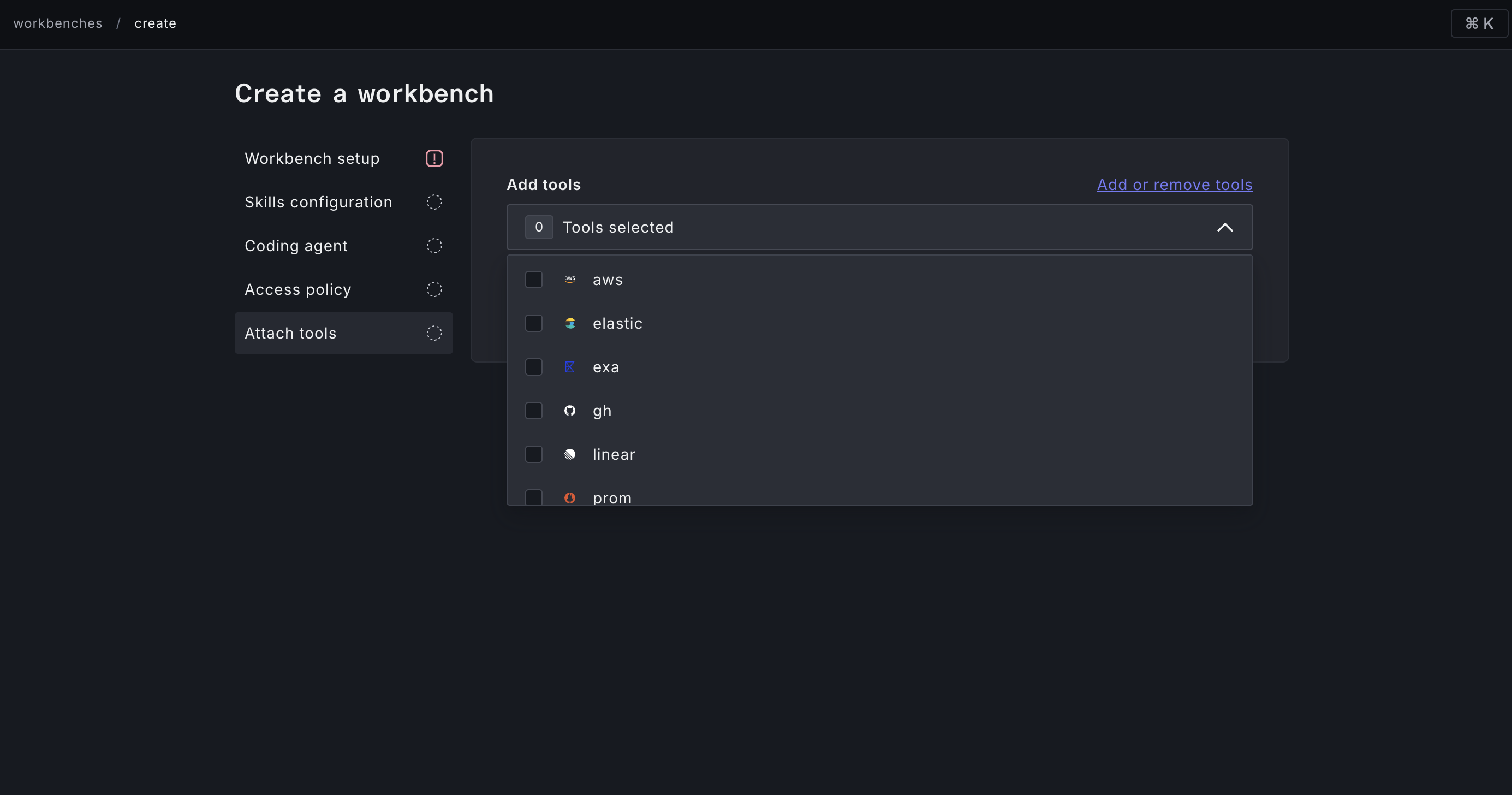
Step 5: Attach tools
Select from the globally configured tools to give the agent access to external systems. Only tools you have already created under Workbenches → Integrations appear here.
Attach only the tools this specific workbench needs. A tightly-scoped tool list is easier to audit and reduces the risk of the agent touching systems it should not.
Running your first job
Once the workbench is created, open it from the Workbenches list and type a prompt into the input field on the Launch tab.
A few prompts to start with:
What is the current health of all services in this project?Are there any Kubernetes pods in a CrashLoopBackOff or Pending state?Summarize the last hour of error logs for the payments service.
The agent will stream activities as it works and produce a structured conclusion when it finishes. From there you can:
- Save the prompt for the team to reuse
- Set up a cron schedule to run it automatically
- Add a webhook trigger to fire it on alerts
Editing a workbench
Open the ••• overflow menu on any workbench and select Edit to reopen the five-step wizard prepopulated with current values. Changes take effect on the next job run.
Deleting a workbench
From the overflow menu, select Delete. This permanently removes the workbench and all associated job history, schedules, webhooks, and saved prompts.